



Key takeaways
- Signing in works with either an email address or a User ID, paired with a password;
- A saved-session option cuts down repeat logins but should stay off on shared devices;
- Repeated failed attempts trigger a temporary block rather than unlimited guessing;
- Some account tools, like limits and protected settings, require a freshly confirmed login;
- Persistent access problems are best handled through Help & Contact rather than repeated retries.
Sign in now and pick up your account exactly where you left it.
Choose Between Email and User ID Access
The current PartyPoker sign-in page labels its identifier field as Account name/Email address, with the account password entered separately. Registration also asks players to create a User ID, so the important point is to use the account identifier already connected to the registered profile rather than creating or guessing a different one. Players who prefer accessing the platform from a mobile device can use the PartyPoker app to continue with their account and available poker features.
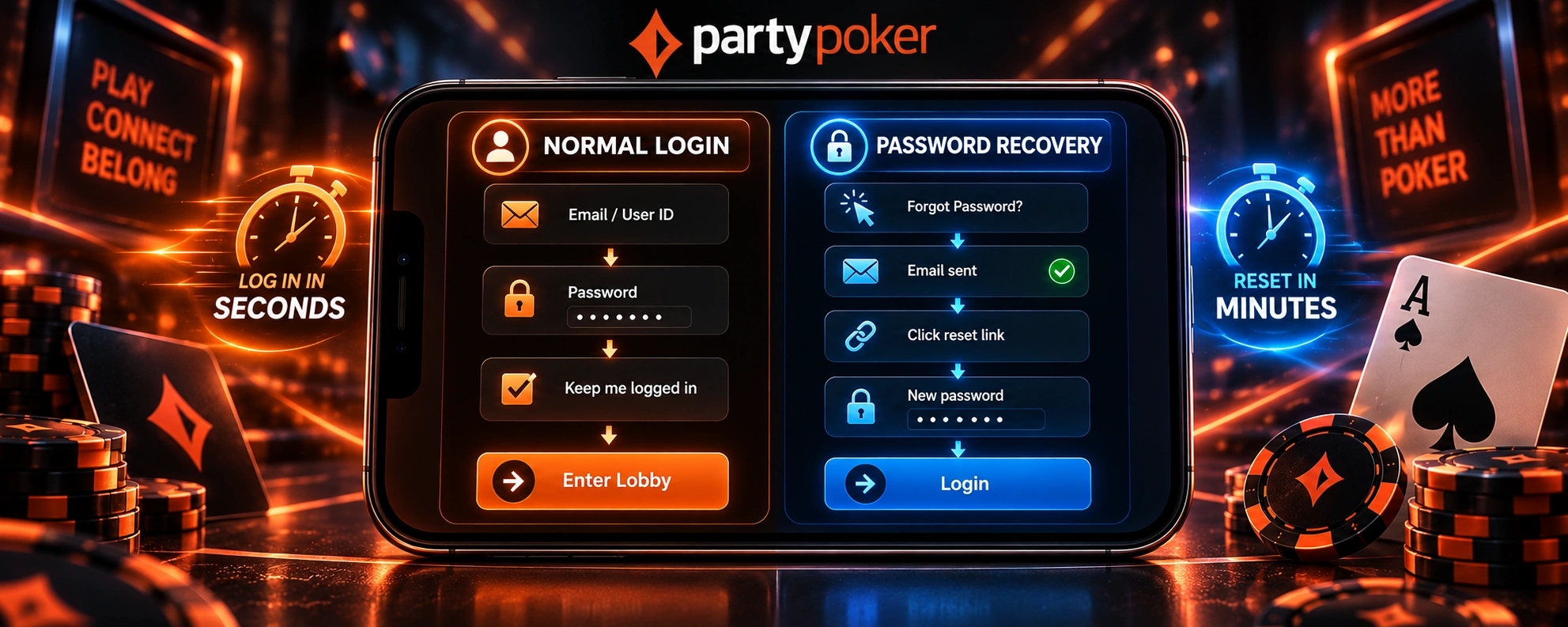
Password Entry and Persistent Login Option
A poker login completed this way can also be saved for next time through a “keep me logged in” style option, cutting down how often the same credentials need re-entering. That convenience comes with a trade-off worth remembering: leaving a session saved makes sense on a personal device, but it’s not something worth turning on anywhere shared with other people.
Recover Access Before Repeated Attempts Cause Problems
Repeatedly testing different passwords can create a second problem on top of a forgotten credential. PartyPoker advises moving to password recovery when the correct password is uncertain, since several unsuccessful sign-in attempts can make the account temporarily unavailable.
Password Reset and Temporary Login Protection
Clicking the password reset option on the login screen sends instructions to the account’s registered email, which is faster and more reliable than trying variations of an old password. If several incorrect attempts do happen in a row, the account becomes temporarily unavailable as a precaution, specifically designed to slow down anyone trying to guess their way in rather than punishing an honest mistake.

Open MyGame With the Same Account Details
Not every login happens right before a session starts. A player checking in purely to review MyGame, rather than to sit down at a table, signs in exactly the same way as anyone heading straight to the lobby. Once that login is confirmed, the same account credentials open up access to the skill ratings, category breakdowns, and improvement material built around recently played hands, all without needing a separate set of details just for that purpose.
Reach Protected Account Tools After Signing In
Signing in also provides access to account-level controls that are not part of the public poker lobby. PartyPoker includes safer-gambling tools such as daily, weekly and monthly deposit limits within the account environment, while identity checks may be required when an account is opened and periodically later in its lifetime. If verification is requested, completing that process is separate from simply knowing the correct password and may be necessary before full gambling access is available.
Protect an Active Session on Shared Devices
An active account session requires more care on a shared device than on a computer or phone controlled by one person. PartyPoker advises players not to leave a logged-in device unattended, not to save passwords on shared login screens, and not to give account credentials to another person. Enabling an automatic device lock and changing the account password regularly add further protection when the same device or account is used over time.
Know When an Access Issue Needs Support
Not every access problem should be handled by repeatedly submitting the login form. PartyPoker separates Account Access, Account Details and Verification, and Technical Issues inside Help & Contact, making it possible to route different problems to the appropriate support path.
| Access Situation | ✅ First Step | 🆘 When Support Becomes Useful |
| Password is uncertain | Request a password reset instead of continuing to guess | The normal reset process cannot be completed |
| Several sign-in attempts have failed | Wait briefly and use the recovery route if necessary | The account remains blocked or the page directs you to Customer Service |
| Registered email is no longer accessible | Request an email-address change | PartyPoker may need account details and proof of identity to process the change |
| Password has expired | Follow the prompt to set up a new password | The password-update route cannot be completed |
| Verification or a technical issue blocks access | Open the matching Help & Contact category | The requested verification or technical troubleshooting does not restore access |
The support route is especially important when the registered email itself is unavailable, because PartyPoker asks for identifying account information and proof of identity before changing it.