



What Player Protection Means at PartyPoker
For the vast majority, playing poker stays what it’s supposed to be: entertainment, nothing more. But it doesn’t stay that way for everyone, and when it stops, the effects can reach into someone’s finances, relationships, or health. The mobile poker application provides access to account settings and player control features that can help users manage their sessions more effectively. Recognizing that risk early, and giving players a direct way to act on it themselves, sits behind every tool covered on this page.
Capping Deposits Before They Add Up
A deposit cap works on a daily, weekly, or monthly basis, and it’s entirely up to the account holder to decide which period fits. Tightening an existing limit applies right away, no waiting period involved. Loosening one works differently on purpose: the request needs confirming, and only becomes active a full 24 hours later. That gap isn’t a technical delay so much as a deliberate pause, giving a second chance to reconsider before a higher limit kicks in.
A Short Break Versus a Longer Step Back
Two different tools exist for two different needs. A short time-out covers anywhere from a single day to six weeks, and once that window closes, the account reopens on its own without any extra request needed. Self-exclusion is built for something more serious: a minimum six-month lock that can stretch on indefinitely, requiring active steps from both the player and the platform to end.
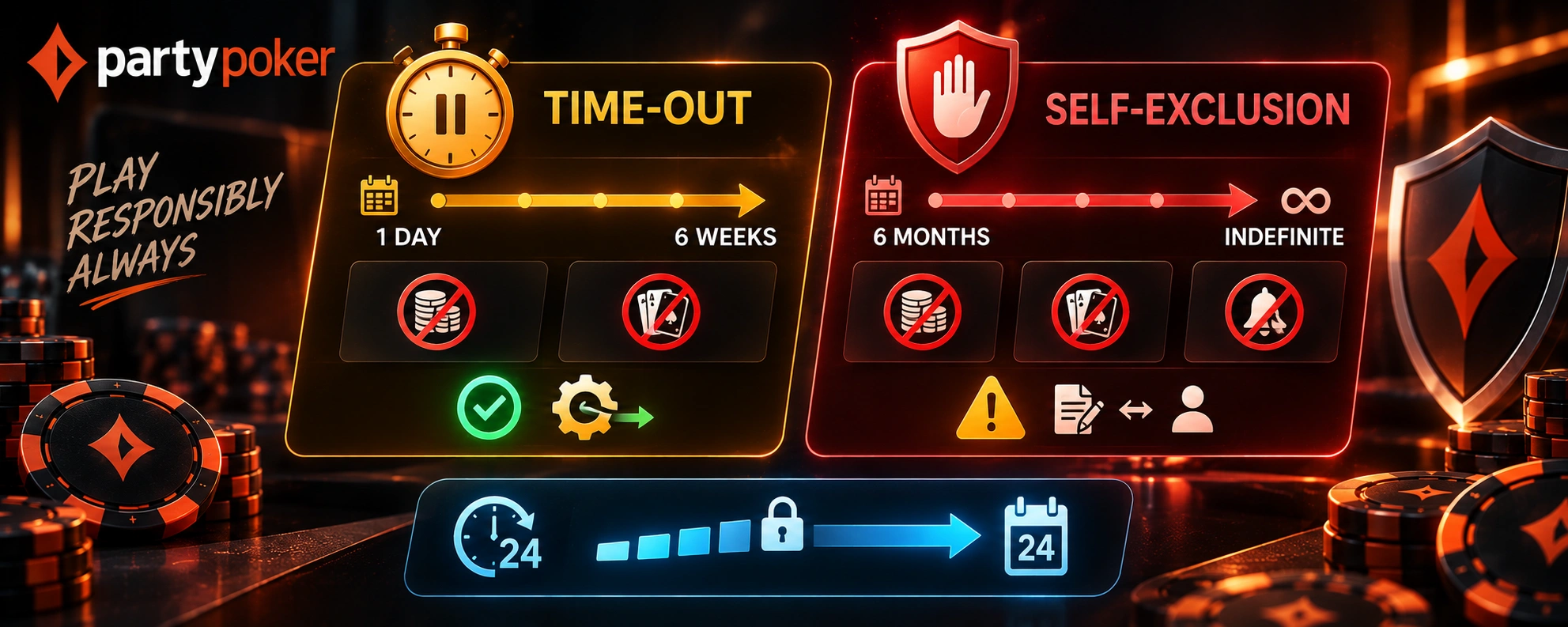
| Option | Duration | How It Ends |
| Time-out | 1 day up to 6 weeks | Reopens automatically |
| Self-exclusion | Minimum 6 months, up to indefinite | Requires active steps from both sides to end |
Whichever length applies, deposits and play are switched off completely for the duration.
Committing to Self-Exclusion
Choosing self-exclusion isn’t a setting that quietly resets on its own; it’s treated as a shared commitment. Once it’s active, no deposits go through and no games can be played, and marketing messages stop reaching the account too. Ending it early isn’t an option, since the whole point is removing the ability to change course on impulse partway through.
Requesting an Extension or Exclusion Without an Account
Someone already self-excluded who wants more time doesn’t have to wait for the current period to expire before acting; reaching out to the responsible gaming team directly can extend it further. The same team handles a different kind of request too: someone who’s never held an account but still wants to be blocked from signing up in the future. Both situations route through the same contact point rather than needing separate processes.
Tools Beyond the Account Itself
Not every safeguard lives inside the account settings. Parental control software installed on a shared or family device, such as Cybersitter or NetNanny, can block gambling sites at the device level entirely, which matters when the account owner isn’t the only person using that computer. Independent support organizations are also worth knowing about, offering guidance that goes further than what an account setting alone can provide.